AI Across Support Channels: Call Center, Live Chat, Phone Answering, WhatsApp and Appointment Booking

Key takeaways
- The channel changes what an AI can safely do. The same capability that is low-risk in live chat is high-risk on a phone line, because the channel controls latency tolerance, message persistence and how easily an error can be corrected.
- AI live chat is the easiest channel and the right place to start: asynchronous tolerance, full scrollback, and a cheap correction path in the very next message.
- Voice is the hardest channel and should have the narrowest scope, because callers self-select for urgency, there is no scrollback, and a pause reads as a broken line rather than as thinking.
- WhatsApp is the one channel with real external constraints — it is a platform with its own business messaging rules and session mechanics — and in Nepal and much of South Asia it is the primary business channel, not a secondary one.
- AI appointment booking is the highest-return narrow use case across every channel, because success is objectively verifiable, the action is reversible, and the calendar is a clean integration point.
The short answer
The channel is not a delivery detail. It is the variable that decides how much an AI support system can safely do on its own, because each channel sets a different latency tolerance, a different level of message persistence, a different set of user expectations, and in one case a different set of platform rules. The same underlying capability — read the question, look up the fact, answer or act — behaves completely differently on a phone line than it does in a chat widget.
Most deployments that go badly went badly for one structural reason: a team scoped one support policy, usually against the easiest channel, and then applied it everywhere. What was a reasonable amount of autonomy in live chat became reckless on the phone, and what worked on the phone felt cold and slow on a messaging app people use to talk to their family. Whether AI should handle a given support role at all is a separate question, covered in the guide to scoping AI employees across sales, support and reception. This post assumes you have answered that and asks the next question: given that AI is handling some of the volume, what changes channel by channel.
| Channel | Latency tolerance | Scrollback | Cost to correct an error | Safe autonomy |
|---|---|---|---|---|
| Live chat | High — a few seconds reads as thinking | Full, user can re-read | Very low — fix it in the next message | Broad, including simple actions |
| Very high — asynchronous by nature | Full, and permanent on the user device | Low, but the error stays in their history | Moderate, constrained by platform rules | |
| Phone answering | Very low — a pause reads as a dead line | None | High — it has already been heard | Narrow, confirm before every action |
| Call center at scale | Very low | None for the caller | High, and multiplied by volume | Narrowest autonomously, broad as agent assist |
| Appointment booking | Depends on the carrying channel | The calendar event is the record | Low — the event can be moved or deleted | High — verifiable and reversible |
The channel test
Before granting an AI any autonomy on a channel, ask what happens in the sixty seconds after it gets something wrong. If the user can see the mistake, say so, and get it corrected in the same thread, you can be generous. If the mistake is heard once, unrecorded, by someone already in a hurry, be conservative.
AI live chat — the easiest channel, and where to start
AI live chat is the friendliest environment a support AI will ever operate in, and it is where almost every deployment should begin. Three properties do the work. The user tolerates a delay of a few seconds without concluding anything is broken. The entire conversation stays on screen, so a partial answer can be completed, a misread question can be re-asked, and the user can verify what was actually said. And correction is nearly free — if the AI answers wrongly, the next message fixes it, and the fixed version is what the user leaves with.
That last property is why live chat is also the right place to find out whether your knowledge base is good enough. Transcripts are cheap to read in volume, the failure is visible in text rather than inferred from a recording, and nothing about the channel disguises a bad answer. A team that cannot get an AI chatbot answering reliably in a chat widget has no business putting the same content behind a phone line, where every weakness costs more.

Where live chat goes wrong — proactive triggers
The failure mode specific to this channel is not the answering. It is the opening. Proactive chat triggers — the widget that pops up unprompted offering help — are the single most common way a competent AI live chat deployment makes a business feel worse to deal with. Fired on a timer, they interrupt someone who is reading. Fired on exit intent, they arrive as a last-second obstacle. Fired on every page, they train people to close the widget reflexively, which costs you the conversations that would have been genuinely useful.
- Trigger on behavior that implies difficulty, not on elapsed time — a second visit to the same pricing or policy page, a failed search, a repeated back-and-forth in checkout.
- Never re-trigger in the same session after a user has dismissed the widget once. A dismissal is an answer.
- Do not open with a question the AI cannot handle. "How can I help?" invites the full range of support intent, including everything you scoped out.
- Keep proactive messages off pages where the user is entering payment or personal details, where an interruption is a conversion risk and reads as a security concern.
AI phone answering and the AI call center
Voice is the hardest channel and consistently gets the widest scope, which is exactly backwards. Four constraints stack against it. Latency is unforgiving — a pause that reads as thoughtful in chat reads as a dropped call, and people hang up on silence. There is no scrollback, so anything said once and not understood is gone, which means the system has to confirm rather than assume. Interruption is normal, not an edge case: callers talk over the agent, and a system that cannot handle being cut off sounds broken within one exchange.
The fourth constraint is the one that matters most and gets discussed least. Callers self-select for urgency. In a market where chat and email exist, choosing the phone is a signal — the person is frustrated, in a hurry, or dealing with something they judged too complicated to type. The phone channel therefore skews toward precisely the interactions that most need a human, which means a voice deployment scoped by average difficulty will be scoped wrong.
AI phone answering for a small business
For a small business, AI phone answering is a coverage problem rather than an efficiency problem. The honest comparison is not against your best receptionist — it is against an unanswered ring or a voicemail nobody returns until Tuesday. Against that baseline, a system that answers, identifies the caller, captures the reason and the callback number, books a straightforward appointment and transfers everything else is unambiguously better than the status quo, and it can be scoped to a handful of intents and still earn its cost.
Start with after-hours and overflow for the same reason. Both are windows where the alternative is nothing, so the bar is low and the evidence accumulates safely. Expand into business-hours coverage only when the transcripts show the escalation rules holding under real conditions, including the calls where the caller was annoyed from the first sentence.
An AI call center is an operation, not a product
At scale the technology is the smaller half of the problem. An AI call center deployment is distinguished by the process around it: queue and skill-based routing so an escalation lands with someone who can actually resolve it, quality sampling across recorded interactions rather than spot-checks when someone complains, and wrap-up notes generated from the transcript so agents stop losing minutes per call to after-call work. Those operational pieces are where the reliable value sits, and none of them require the AI to talk to a customer at all.
Which points to the safer form. Agent assist — where AI listens, retrieves the relevant policy or account fact, and surfaces it to a human agent who decides what to say — keeps a person on the judgment while removing the search. It carries a fraction of the risk of autonomous voice handling, it degrades gracefully when the retrieval is wrong because the agent simply ignores it, and it works on exactly the difficult calls that autonomous handling should never have been given. In most call centers this is the deployment that should come first and the one that keeps paying after the novelty of the autonomous version wears off.
Non-negotiable on voice
Disclose that the caller is speaking to an AI, and keep the route to a human immediate and always available. Beyond the regulatory exposure in several jurisdictions, a caller trapped in a loop with no exit produces more damage in one call than the deployment saves in a month.
The AI WhatsApp bot
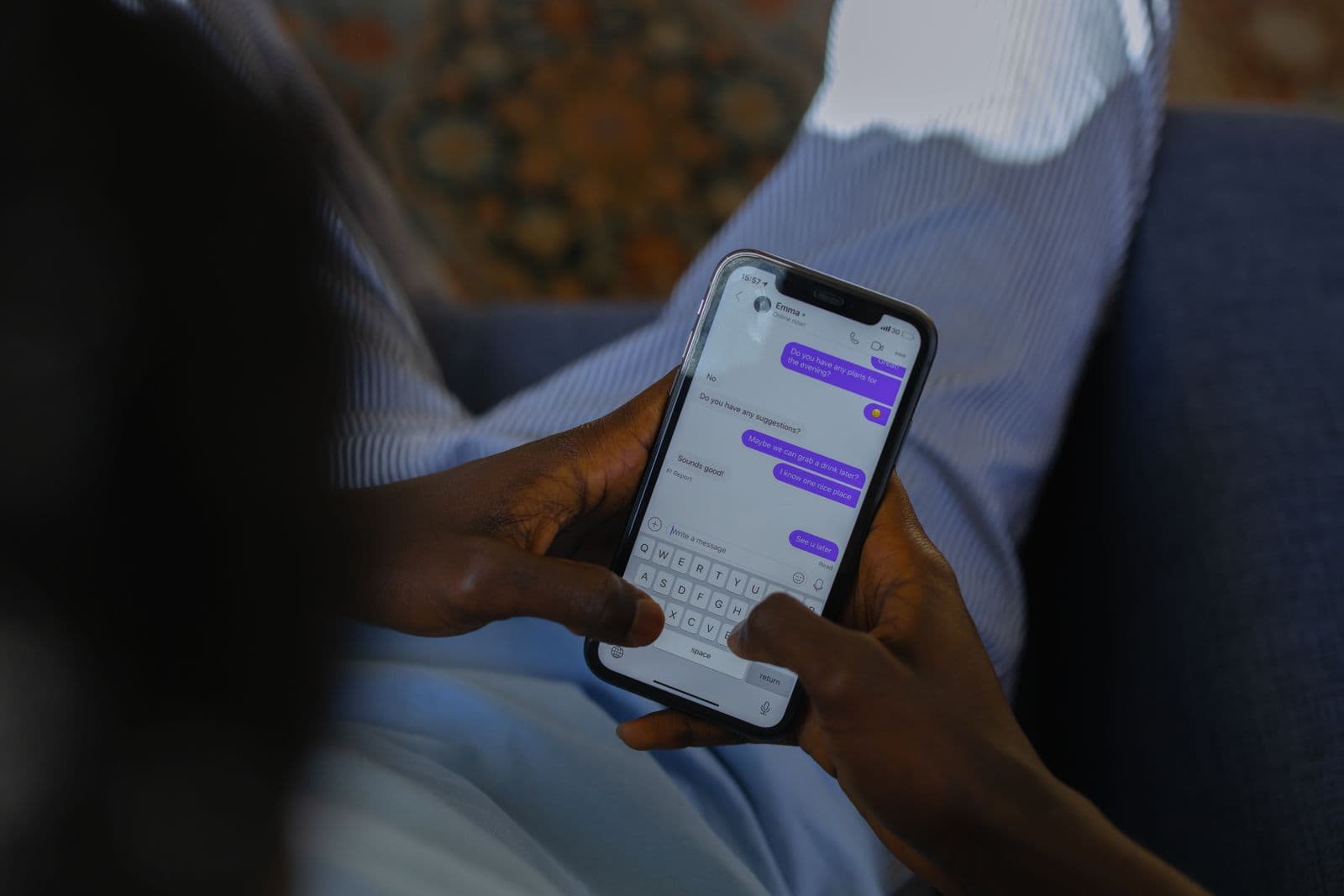
WhatsApp is the only channel in this set with genuine external constraints, and it is the one most often designed as though it were a chat widget with a different logo. Two things make it different. First, it is a platform with its own business messaging rules — outbound messaging outside an active, customer-initiated conversation window works through pre-approved message templates rather than free composition, and businesses operate through an approved account rather than by pointing a bot at a personal number. The specific windows, template categories and pricing change, so read the current policy at the source rather than trusting a vendor summary or a blog post, including this one.
Second, and harder to engineer around: WhatsApp is personal space. It is the same app the customer uses for their family group and their landlord. A message there carries a different weight than the same words in a support portal, tone that reads as efficient in a ticket system reads as cold, and an unwanted marketing message is not merely ignored — it is an intrusion that gets the business blocked. The channel rewards brevity and human register, and punishes anything that feels like broadcast.
Where WhatsApp is the primary channel, not a secondary one
Most guidance on this channel is written from markets where WhatsApp is an add-on to a website form and a phone number. In Nepal, and across much of South Asia, that assumption is simply wrong. WhatsApp is frequently the main way customers contact a business — often before the website, sometimes instead of it — and businesses run enquiries, quotes, order updates and support in it as their operational system of record. When that is the reality, treating an AI WhatsApp bot as a peripheral experiment misallocates the whole effort. The channel deserves the strongest knowledge base, the cleanest handoff to a person, and the most careful attention to tone, because it is the front door.
It also means the message history is the customer relationship. Unlike a chat widget session that vanishes when the tab closes, a WhatsApp thread persists on the customer device for years and is scrollable by them at any time. A wrong price quoted in message eleven is still there in month nine when they go looking. That permanence argues for a conservative autonomy setting on anything commercial — quotes, commitments, policy exceptions — even though the channel is otherwise forgiving on latency.
AI appointment booking — the highest-return narrow use case
Of everything discussed here, AI appointment booking is the one I would build first in almost any business that takes appointments. The reason is structural rather than enthusiastic. Success is objectively verifiable — either the correct event exists on the correct calendar at the correct time or it does not, with no interpretation required. The action is reversible, because an event can be moved or deleted. And there is a clean, well-defined integration point in the calendar, so the AI is not being asked to operate a human interface. Those three properties are exactly what makes a task safe to automate, and most support use cases have none of them.
It also rides on top of every channel above. The same booking capability can be reached from live chat, from a WhatsApp thread, or from a phone call, which means the investment is amortized across the whole support surface rather than tied to one widget.

The three parts that are actually hard
- Double-booking. Two requests can reach the same slot within the same few seconds, and a system that reads availability, thinks, then writes will eventually write twice. The slot has to be held at the moment it is offered and released if the conversation dies, rather than re-checked hopefully at the end.
- Timezones. The customer states a time in their zone, the business operates in another, the calendar stores a third, and daylight saving shifts one of them twice a year. Store instants rather than wall-clock strings, and state the zone explicitly in the confirmation so a mismatch is caught by the customer before the appointment rather than after.
- Cancellation and reschedule. This is the part teams defer, and it is the part that determines whether the system is a net gain. Bookings that cannot be cancelled easily become no-shows, and no-shows cost more than the bookings were worth. The cancel and reschedule path deserves the same design attention as the booking path, on every channel that can create a booking.
Add one more discipline: every booking, change and cancellation should write to the customer record with the channel it came from, so the reschedule request arriving by phone can be matched to the booking made on WhatsApp. That is not an extra feature — it is the same requirement as the next section.
Channel handoff — the part almost everyone skips
A customer messages on WhatsApp in the morning, gets a partial answer, and calls in the afternoon. If the phone system greets them as a stranger and asks for their order number again, everything the earlier interaction achieved is spent. This is the most reliably annoying failure in multi-channel support, it is entirely preventable, and it is almost always caused by the same architectural choice: each channel was deployed as its own product with its own conversation store.
The fix is to give the conversation an identity that is not the channel. The customer record is the conversation; the channel is just the transport it arrived on.
- Resolve every inbound contact to one customer record on arrival, using phone number and email as the keys, and create the record immediately when there is no match rather than leaving the interaction unattached.
- Write every interaction on every channel to that record, with the channel, the timestamp, the intent it was classified as, and how it ended — resolved, escalated, or abandoned.
- Make a lookup of recent activity the first action any AI takes on a new contact, before it says anything. An opening line that acknowledges yesterday's message costs nothing and changes the entire tone of the interaction.
- On escalation to a human, hand over the full context — transcript, identified intent, what has already been tried, and what the AI was uncertain about. An escalation that dumps the customer into a queue to start over is worse than never having engaged them.
- Confirm outcomes on the channel the customer chose, not the one that is convenient for you. A booking made by phone should be confirmed by message if that is where the customer lives.
This is also where the underlying record quality stops being a background concern. Duplicate contacts break identity resolution outright, and an AI reading half a history will answer confidently from half a history. The failure patterns are the same ones documented in the companion post on building routing that does not drop people between systems, and multi-channel support raises the stakes because there are now several doors into the same broken hallway.
The prerequisite nobody wants to hear
None of this works on top of a knowledge base that does not exist. The unglamorous precondition for AI on any support channel is a single, current, authoritative source for the facts the AI will state — hours, policies, pricing rules, what happens on a return, what the delivery windows actually are. Most businesses do not have one. They have a website that is partly out of date, a shared document from last year, and the real answers in the heads of two experienced staff members.
An AI deployed against that will produce fluent, confident, wrong answers, and it will do so on every channel simultaneously. Writing that source down is usually the largest single task in the project and the one most often scheduled as a footnote. It is also worth doing whether or not you deploy anything, which is the standard test for a prerequisite that is actually a prerequisite. The sequencing argument behind this is the same one in the post on mapping a workflow before automating it: a model produces plausible output from a broken process rather than failing loudly the way a rigid script would.
Where each channel fails
- Live chat fails through interruption. The answering is fine; the unsolicited pop-ups train people to dismiss the widget, and the deflection you built is never seen.
- Phone answering fails through the loop. A caller who cannot reach a human and cannot make the system understand them will hang up and tell people about it, and that single interaction outweighs a hundred smooth ones.
- Call center deployments fail through scale without sampling. Nobody is reading transcripts, quality is inferred from handle time, and a systematic error runs for weeks across thousands of interactions before anyone notices.
- WhatsApp fails through over-initiation. Outbound messages that feel like broadcast get the business blocked and reported, and losing the channel in a market where it is the primary channel is not a recoverable setback.
- Appointment booking fails at the edges — double-booked slots, a timezone off by hours, and no clean cancellation path — while the booking conversation itself works perfectly.
How to measure it, per channel
| Channel | What everyone reports | The number that catches the failure |
|---|---|---|
| Live chat | Deflection rate | Repeat contacts within seven days on the same issue |
| Phone answering | Calls handled without transfer | Abandoned calls and the point in the flow where they dropped |
| Call center | Average handle time | Correct-resolution rate from sampled transcript review |
| Response and read rates | Block and report rate, and opt-outs after outbound sends | |
| Appointment booking | Bookings created | No-show rate and same-day cancellations |
Containment rate deserves a specific warning because it is the number every dashboard leads with. It rises whenever the AI stops escalating things it should have escalated, which looks exactly like improvement and is the opposite. Read on its own it will tell you the deployment is getting better on the day it starts getting worse. Pair it always with the escalation reason breakdown and with a sample of resolved transcripts read by a person — the number you want is correct resolutions, not resolutions. The general principle behind where that human checkpoint belongs is set out in the human-in-the-loop framework, and it applies per channel rather than once across the program.
A realistic rollout sequence
- Write the knowledge source first — one authoritative document per topic the AI will speak about, agreed by the people who currently answer those questions. Everything downstream inherits its quality.
- Build identity resolution before the first channel goes live. One customer record, keyed on phone and email, written to by every channel. Retrofitting this after three channels are running is far more expensive than doing it now.
- Deploy AI live chat first, with a narrow intent list and no proactive triggers at all. Read complete transcripts daily for the first two weeks — not a sample, all of them.
- Add appointment booking as the first action the AI is allowed to take, because it is verifiable and reversible. Build the cancel and reschedule path in the same release, not the next one.
- Add WhatsApp once chat is stable, reusing the same knowledge source and the same escalation rules, with outbound initiation restricted to transactional confirmations the customer expects.
- Add voice last and narrowest — after-hours and overflow only, with immediate disclosure and an always-available route to a person. Expand only from what the call recordings show.
- Introduce agent assist for the human team in parallel with the voice work. It is lower risk than autonomous voice and usually returns more, because it improves exactly the calls AI should not be handling alone.
The step people want to skip is the second one, because identity resolution is invisible when it works and nobody asks for it. It is also the step that decides whether the whole thing feels like one business or four disconnected bots wearing the same logo.
Where to start
Pick the channel your customers actually use most — which in a lot of markets is WhatsApp and not the website widget — but build on the easiest one first, because the knowledge base and escalation rules you prove in live chat are the same ones every other channel will inherit. Then add appointment booking, because it is the one capability here that is objectively verifiable and cheaply reversible. Keep voice narrow for longer than feels necessary.
If the architecture question underneath all of this is still open — whether a given piece should be a fixed automation, an assistant surface or something with real autonomy — the guide to AI agents versus assistants versus automation covers how to classify it before you choose a tool. I build these channel systems through Arcetis, and the pattern that holds across all of them is the one this post opened with: scope the autonomy to the channel, not to the capability.
Frequently asked questions
Should I use the same AI support policy on every channel?
No, and this is the most common structural mistake in AI support deployments. A policy scoped for a chat widget — where the user can scroll back, tolerates a pause and can correct a misunderstanding in the next message — becomes unsafe on a phone line, where none of those things are true. Scope each channel separately: same knowledge base, same escalation philosophy, different autonomy limits and different confirmation requirements per channel.
Which support channel should AI handle first?
Live chat, in almost every case. It has the highest tolerance for latency, the user can read the whole conversation, and an incorrect answer can be corrected immediately at almost no cost. It is also the channel where you can watch full transcripts cheaply, which is what tells you whether the knowledge base is good enough before you put the same content behind a phone line where mistakes are far more expensive.
What is the difference between AI phone answering and an AI call center?
AI phone answering is a small-business capability: a single inbound line, a narrow set of intents, and a transfer path to whoever is available. An AI call center is an operation — queue routing, skill-based transfer, quality sampling across recorded interactions, wrap-up note generation, and live agent assist. The technology overlaps; the surrounding process does not. Buying a phone answering product and expecting call center operations is a predictable disappointment.
Can an AI WhatsApp bot message customers whenever it wants?
No. WhatsApp is a platform with its own business messaging rules, and outbound messaging outside an active customer-initiated session is constrained by pre-approved message templates rather than being open-ended. Treat WhatsApp as a channel where inbound replies are flexible and outbound initiation is governed, design your flows around that asymmetry, and read the current platform policy directly rather than relying on a vendor summary of it.
Is AI appointment booking worth building on its own?
Yes, and it is usually the single best first project across all these channels. Success is objectively verifiable — either the correct event exists on the correct calendar or it does not — the action is reversible, and the calendar API is a clean integration point. That combination of automatic verification and reversibility is exactly what makes a task safe to automate, and most support use cases lack it.
What breaks most often in AI appointment booking?
Not the conversation — the calendar edges. Double-booking when two requests race for the same slot, timezone handling when the customer, the business and the calendar disagree about which zone a stated time belongs to, and the reschedule and cancellation path, which teams routinely leave for later. Booking is the easy half. An appointment system that cannot cancel cleanly produces no-shows and angry calls that cost more than the bookings saved.
How do I stop customers from repeating themselves when they switch channels?
Give the conversation an identity that is not the channel. Resolve inbound contacts to a single customer record using phone number and email, write every interaction to that record regardless of channel, and make the first thing any AI does on a new contact a lookup of recent activity. A customer who messaged on WhatsApp an hour ago and now calls should be greeted with that context, not with a blank intake.
What should I measure on an AI support channel?
Containment rate is the headline number and it lies on its own, because it rises whenever the AI stops escalating things it should escalate. Pair it per channel with the reason breakdown for escalations, the repeat-contact rate within seven days, and the correct-resolution rate found by sampled human review of transcripts. Repeat contacts are the cheapest honest signal that a resolution was not actually a resolution.
Book a free 10-minute consultation
Sapun Lamichhane is a business growth analyst and founder of Arcetis, based in Pokhara, Nepal. If you want a second opinion on your account, your funnel, or whether a channel is worth your budget at all, book a free 10-minute call — no pitch, and a straight answer even when the answer is that you do not need help.
Direct: +977 9846162626 · lamichhanesapun2@gmail.com
This post supports the frameworks documented in full on the Authority page.